
Built for the LogTen export
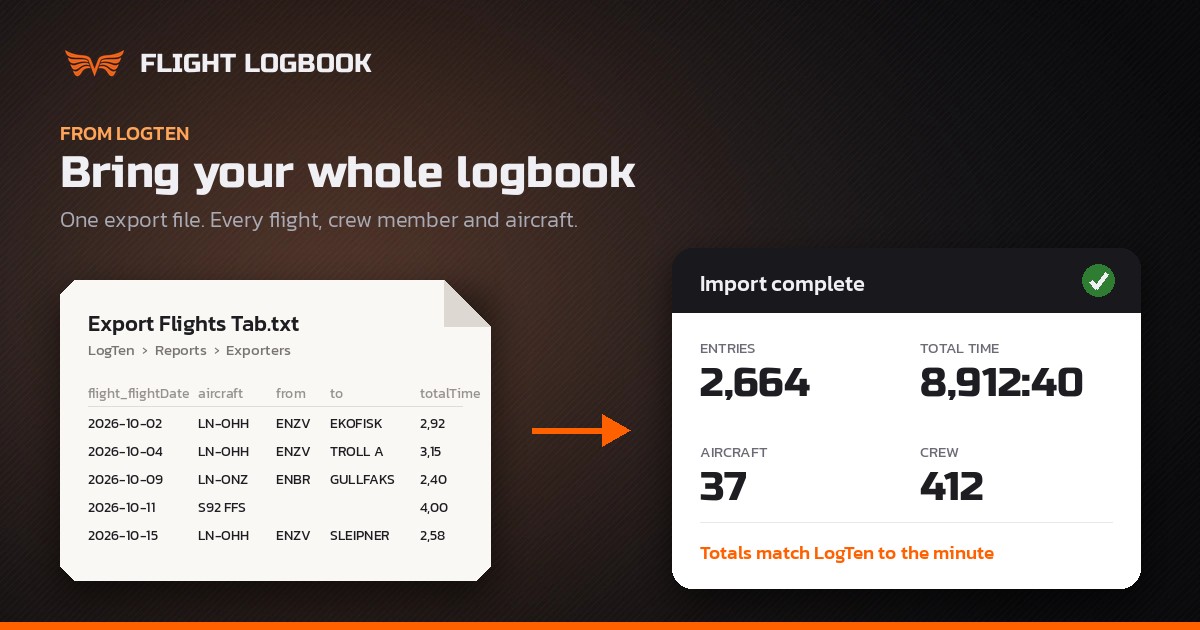
Most logbook imports ask you to clean up a spreadsheet first: rename columns, convert decimal hours, split crew names, delete rows. The LogTen import skips all of that. It reads LogTen’s own export directly, with its own column names, decimal times and crew names, and turns it into your Flight Logbook.
The whole logbook goes in one file. A logbook of almost 9,000 hours and more than 2,600 entries is checked in a couple of seconds, and the totals match LogTen to the minute.
Step 1: Export from LogTen
In LogTen, go to the Reports tab, select Exporters and generate the Export Flights (Tab) report. Save the file or email it to yourself. It is a text file named something like Export Flights Tab - 2026-10-20.txt.
One thing matters here: keep the file as it is. Opening it and saving it in Excel or Numbers first can quietly change times and dates. The file straight from LogTen is exactly what the import expects.
Step 2: Upload it to Flight Logbook
Log in to Flight Logbook, open Tools → Imports and choose Upload my LogTen export. Select the file and upload it. The whole logbook goes in one file, however long it is.
Step 3: Tell us where your own fields go
This is the only step where you make choices, and it is usually done in a minute or two.
Your custom fields. If you have used LogTen’s custom fields, the export only calls them Custom time 1, Custom landing 2 and so on. The names you gave them in LogTen are not in the file. So for each one we show you:
- the total, for example “You have 1,054 hours as Custom time 1, on 812 flights”
- an example flight with date, route, aircraft and crew, so you can look it up in LogTen and see what the field is
Then you choose where it goes: a standard field, a new custom field that you name, your remarks, or nowhere. A new field can be anything you track, such as Tailwheel landings, Aerobatic time, Glider tows or Helideck landings. Times, takeoffs and landings, and other fields are in separate sections, so it is easy to keep track.
LogTen fields that have no standard column here, such as PICUS or actual instrument, come with a suggested custom field already filled in. You can keep the suggestion or change it.
Step 4: Preview before anything is saved
Nothing goes into your logbook until you have seen it. The preview lists:
- the aircraft and crew members that will be created
- your custom fields and their names
- every flight that will be imported
- flights that are already in your logbook, which are skipped
- anything worth a second look, such as entries with no flight time
When it looks right, click Import.
What comes along
- All your times: total, PIC, SIC, dual, IFR, night, NVG, cross-country, multi-pilot, solo and more. LogTen’s decimal hours become hours and minutes.
- Takeoffs, landings and holds, day and night.
- Approaches, counted by type: ILS, LOC, VOR, NDB, RNAV/RNP, LNAV/VNAV and LPV. Other types, such as ARA or PAR, are offered as custom approach fields.
- Simulator sessions, logged as simulator time, not flight time.
- Crew, linked to every flight. If a crew member is already in your Flight Logbook, flights are linked to them instead of creating a duplicate.
- Aircraft, with registration, type and class, such as Airplane Multi-Engine Land or Helicopter. Entries with no aircraft at all in LogTen go on an aircraft called UNKNOWN, which you can correct afterwards.
- Balance forward entries, the totals you carried over from an earlier logbook, so your grand totals match.
- Remarks, as they are.
What stays in LogTen
LogTen’s flight export is your logbook, not a full copy of the LogTen database. Crew names and tail numbers come along with every flight, but extra details you saved on a person or an aircraft in LogTen, such as a crew member’s email, are not in the file. Signatures and photos are not included either. Keep a LogTen backup of your own if you want those, and add any crew details you need in Flight Logbook afterwards.
Keep flying while you switch
You don’t have to switch on a particular day. Import now, keep logging in LogTen while you try Flight Logbook, and export again later. Flights that are already in your logbook are recognised by date, aircraft and total time and skipped, so only the new ones are added.
Why pilots move
Flight Logbook runs in your browser on any phone, tablet or computer, Mac or Windows. Currencies and flight time limits are counted from your own flights, including your custom fields, so a currency built on tailwheel, seaplane or helideck landings stays correct. You can share flights with crew, and connect Claude or ChatGPT to ask about your logbook or log a flight from a photo of the flight plan.
Ready to bring your logbook?
Export from LogTen, upload the file, check your fields and the preview, and your whole flying history is in Flight Logbook. Every new account starts with three months free, no card needed, so you can see your own logbook in place before you decide.
If anything in your export doesn’t come across the way you expect, write to admin@flightlogbook.com and we will look at it with you.